
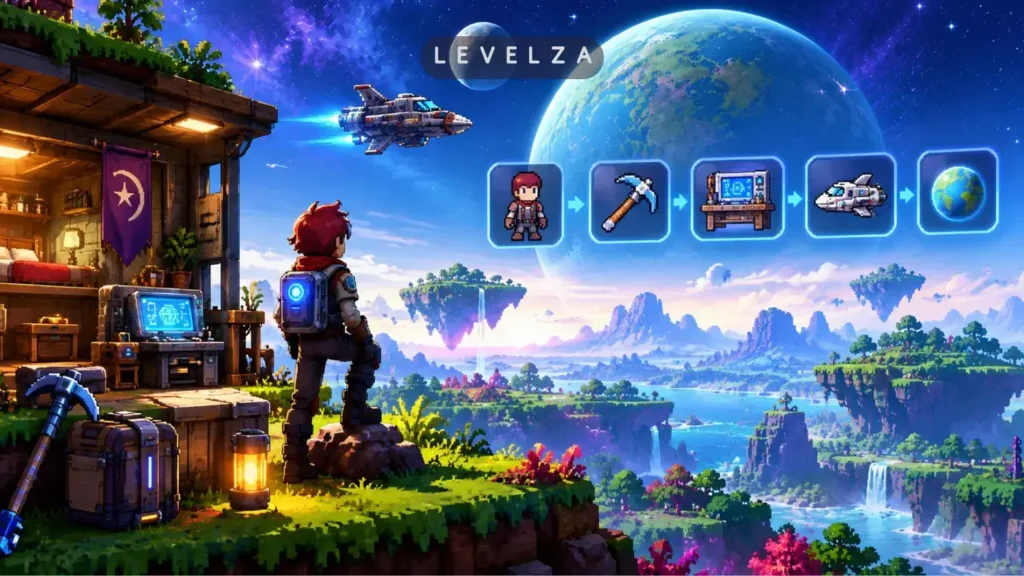
Learning how to play Starbound starts with an escape. Earth is invaded, and the player crash-lands on an uncharted alien planet with a dead starship engine and an empty inventory.
Unlike single-world sandboxes, Starbound asks players to manage planetary harvesting and starship life support from the first few minutes. Generic starter guides stop at block placement and skip the pitfalls that actually end early runs: food that rots in the bag, the difference between Matter Manipulator modules, and the location of the Ancient Gateway.
LEVELZA provides an end-to-end roadmap from the first beam-down to the FTL repair, covering the mechanics that matter at each stage.
QUICK SUMMARY — FIRST-HOUR STARBOUND SETUP
- Prerequisites: An official Starbound PC client installed through Steam or GOG, a standard mouse and keyboard (mouse targeting is mandatory for the Matter Manipulator beam), and a basic understanding of Survival versus Casual game modes.
- Estimated Setup Time: 15 to 20 minutes, from the opening prologue to mining the first Core Fragments and securing shelter.
- Core Takeaway / End Result: A calibrated hotbar, a starter camp with cooking facilities, basic hunting weaponry, 20 Core Fragments stockpiled, and a working beam link back to the spaceship.
Prerequisites Checklist
Four choices made before the first step shape the whole run. Each is difficult or impossible to change once a character exists.
- Game Mode Selection: Casual removes hunger and inventory drops on death, which suits relaxed exploration. Survival requires eating to avoid starvation and drops carried items on death, delivering the authentic experience. LEVELZA recommends avoiding Hardcore on a first playthrough, since death permanently deletes the character.
- Playable Race Choice: Pick from seven species: Human, Apex, Avian, Floran, Glitch, Hylotl, or Novakid. All share identical baseline stats and movement speed. The choice changes starship aesthetics, racial armor visuals, and NPC dialogue.
- Hardware and Interface Calibration: Run at native display resolution. Set the Zoom Level between 2x and 3x under Options > Graphics so the field of view is wide enough to spot nocturnal predators before they reach the screen edge.
- Audio Awareness: Keep sound effects audible. Falling meteors, underground monster vocalizations, and the low hum of buried ancient tech all announce themselves by sound first.
Step-by-Step Walkthrough: How to Play Starbound
The six steps below follow the natural progression from prologue to the first hub world. Complete them in order, since each one supplies materials or access the next requires.
Step 1: Complete the Protectorate Prologue and Retrieve Core Equipment
The route runs through Protectorate Academy > Grand Hall > Maintenance Storage > Emergency Shuttle.
- Wake in the dormitory, move through the graduation hall, and witness the destruction of Earth by the Ruin.
- Descend into the maintenance locker and collect the Matter Manipulator from its pedestal.
- Search the rubble directly to the right and pick up the Broken Broadsword. Keep it in a ship locker, because it can later be reforged into a top-tier melee weapon.
- Board the evacuation shuttle to escape, ending up stranded in orbit above a habitable starter world.
Step 2: Initialize Ship S.A.I.L. and Beam Down to the Starter Planet
The route runs through Starship Cockpit > S.A.I.L. Interface > Teleporter Pad > Beam Down.
- Inside the derelict starship, interact with the S.A.I.L. computer terminal by pressing E.
- Reboot the AI, then collect the starter rations and Flashlight from the Ship Locker.
- Step onto the circular teleporter pad in the center of the ship and click the Beam Down arrow on the right side of the screen. The character materializes on the planetary surface.
Step 3: Harvest Basic Timber and Construct the Primitive Workbench
The route runs through Planetary Surface > Target Tree Trunk with Matter Manipulator > Press C.
- Equip the Matter Manipulator with R, or hold Left Shift while hovering over terrain. Hold the Left Mouse Button on the base of a tree to harvest Timber, and target hanging vines for Plant Fibres.
- Gather at least 40 to 50 Timber, then press C to open the hand-crafting menu.
- Craft a Wood Crafting Table and place it with Left Click.
- Stand beside the table to access expanded recipes. Immediately craft a Wooden Workbench, a Wooden Bed, and several Torches, which combine Coal or Plant Fibres with Timber.
Step 4: Secure Food Production and Hunt with a Primitive Bow
The route runs through Wooden Workbench > Craft Hunting Bow > Harvest Campfire Meats.
- On Survival difficulty, the hunger bar drains continuously. Monsters killed with melee weapons or guns yield only leather and pixels, not edible food.
- Craft a Primitive Hunting Bow at the Foraging Table using Timber and String, which is made from Plant Fibres.
- Hunt surface creatures with the bow. A killing blow by arrow causes monsters to drop Raw Steak, Raw Poultry, or Alien Meat.
- Craft a Campfire (5 Timber and 1 Torch) and interact with it using E. Cook raw meat immediately to avoid food-poisoning risk and refill the hunger meter.
Food rots over time in regular inventories. Store surplus meals in cold storage or ship containers.
Step 5: Establish a Surface Camp and Deploy Spawn Anchors
The route runs through Surface World > Construct Enclosed Wooden Room > Deploy Bed.
- Clear a level plot near the original beam-down coordinates, which are marked by a vertical beam of light.
- Build an enclosed shelter from Timber blocks, background wood walls, and a wooden door to keep night predators out.
- Place the Wooden Bed inside. Sleeping in it restores health continuously without spending medical supplies.
- Add storage crates and sort them by category: biological goods, minerals, and ancient building materials.
Step 6: Mine 20 Core Fragments to Activate the Ancient Gateway
The route runs through Subterranean Caverns / Abandoned Mine > Mine Core Fragments > Ancient Gateway.
- Dig down toward the planet’s lower crust, or explore the surface horizontally until an Abandoned Mine entrance appears.
- Look for glowing orange mineral deposits in the rock. These are Core Fragments.
- Mine at least 20 Core Fragments, watching for lava and hostile subterranean creatures.
- Return to the surface and locate the monolithic Ancient Gateway structure.
- Interact with the gateway console, insert the 20 Core Fragments to power the portal, and step through to The Outpost. This galactic hub is where ship repair contracts and story quests begin.
Pro Tips for Advanced Exploration and Resource Efficiency
TIP — THREE HABITS THAT SAVE HOURS OF TRIAL AND ERROR
- Use Inspection Mode (N): Press N to activate the inspection magnifying glass, then click alien machinery, ruins, and furniture. Each object returns a lore observation from the character’s racial perspective, and some scans complete story clues needed for main questline progress.
- Prioritize the Expansion Tree: Spend Manipulator Modules on the Matter Procurement (Expansion) tree first. Moving the beam to 3×3 and then 4×4 sharply increases mining speed. The Liquid Collection perk then lets the beam gather water, oil, and radioactive liquid fuel straight from the surface.
- Preserve the Broken Broadsword: Never sell, discard, or recycle the sword from the prologue. Later in the campaign, a weapon-smith at the Ark can reforge it into the Protector’s Broadsword, a top-tier greatsword with an energy-empowered blade beam.
Common Mistakes to Avoid
Four errors account for most early deaths and wasted hours. Each has a simple prevention.
- Letting Perishable Food Rot in the Inventory: In Survival mode, cooked meals carry spoilage timers. Steaks and alien fruits left in ordinary bags turn into useless Rotten Food. Keep perishables in refrigerated containers on the spaceship, or eat them before a deep mining trip.
- Mining Liquid Erchius Carelessly: Fuel for interstellar jumps comes from moons, and mining even a single drop of Liquid Erchius summons the Erchius Ghost. This unkillable, phase-shifting phantom accelerates toward the character faster the more fuel is carried. Mine in short bursts and leave quickly, or buy fuel safely at The Outpost.
- Exploring Caves Without Medical Salves: Health does not regenerate naturally outside a bed in Survival mode. Deep caves without a hotbar stack of Salves, crafted from Plant Fibres, or Medical Bandages turn minor fall damage and poison into fatal setbacks.
- Ignoring Planet Threat Levels: Beaming down to a Radioactive, Frozen, or Fiery world without the matching Environmental Protection Pack applies rapid lethal radiation, freezing, or burning debuffs. Always inspect a planet’s atmospheric threat from the starship navigation console before descending.
If your game crashes immediately upon launch or freezes during the Chucklefish logo, consult our technical diagnostic manual for Starbound Won’t Launch to resolve Visual C++ and configuration errors.