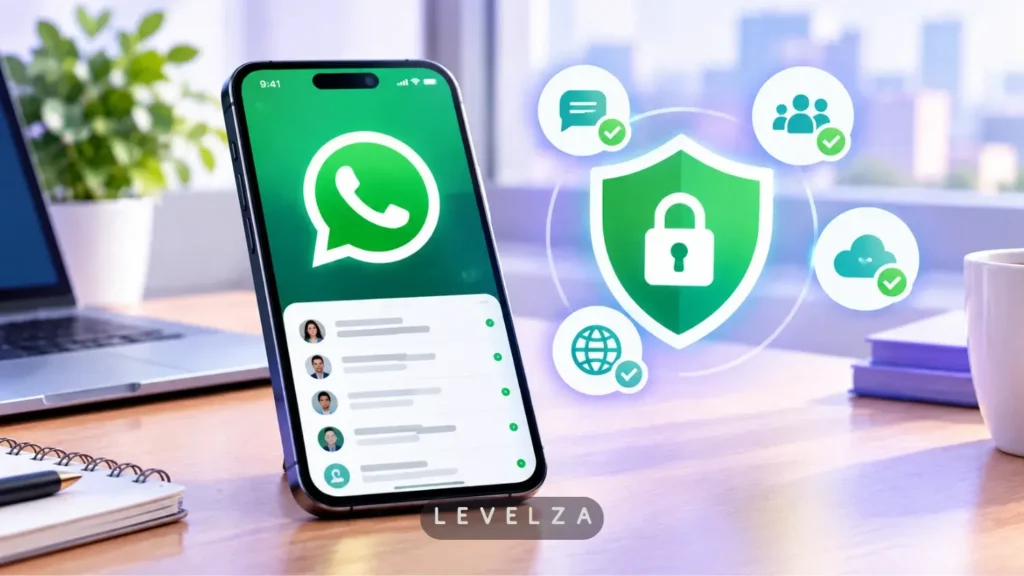
A rigorous WhatsApp review in 2026 means looking past standard text messaging to evaluate whether Meta’s flagship communicator genuinely protects user privacy while navigating an increasingly crowded ecosystem.
Most mainstream reviews celebrate the surface-level convenience of cross-platform chat, but they rarely dissect the operational trade-off underneath it: default Signal Protocol cryptography running alongside Meta’s commercial metadata harvesting.
Understanding these security dynamics begins with an architectural audit of the canonical WhatsApp client across mobile and desktop environments.
LEVELZA completed long-term cryptographic verification, multi-device load testing, and background resource profiling to assess its viability for privacy-conscious users.
Daily Usage Experience: In-Depth WhatsApp Review
Cryptographic Integrity and Default Privacy
Unlike competing cloud platforms that treat encryption as an opt-in mode, WhatsApp enforces client-side cryptographic key generation across every one-on-one conversation, group chat, voice call, and video stream. No manual toggling is required at any point — the Signal Protocol implementation runs invisibly from the first message sent.
That default posture is the single biggest differentiator in this review. A user never has to remember to “turn on” privacy, which removes the most common failure point in secure messaging: forgetting to activate it.
Communication Utility and Media Workflows
Day-to-day conversational tooling holds up well against dedicated messaging competitors. Voice notes support variable playback speeds for skimming longer recordings, and sent messages remain editable within a generous window after sending, correcting the days-old frustration of an uncorrectable typo.
Message editing operates under strict client-side constraints: alterations must take place within a 15-minute window following transmission. Once modified, an explicit “Edited” timestamp label attaches to the bubble to preserve conversational auditability, generating a fresh cryptographic hash that replaces the original payload across all recipient devices.
Disappearing messages offer granular self-destruct timers rather than a single all-or-nothing setting, and document attachments handle uncompressed payloads at a scale that comfortably covers most everyday work files without forcing a switch to a separate file-transfer tool.
Community Management and Organizational Tools
WhatsApp Communities bridge a gap that used to require juggling several separate group chats. Aggregating related topic groups under one shared administrative layer lets an organization broadcast announcements to everyone while keeping individual sub-group conversations contained — all without sacrificing the end-to-end encryption that covers standard chats.
Performance, Resource Footprint & Stability
Mobile Client Efficiency (Android & iOS)
The mobile client maintains background socket listeners with a genuinely negligible battery drain footprint, a meaningful engineering feat given how much always-on messaging apps typically cost a phone’s battery over a full day.
Compatibility with Android’s Doze power-saving mode and iOS’s push notification service is handled cleanly, and cold-start times stay fast even after the app has been fully closed for hours. Offline-to-online message reconciliation — the process of catching up on everything missed while a phone had no signal — completes quickly once connectivity returns.
Desktop App Modernization (Windows & macOS)
The contrast with previous years is dramatic. Legacy web wrappers carried a heavy memory footprint and sluggish notification handling, while the modern native Windows App SDK (MSIX) and macOS Catalyst builds run with substantially lower RAM consumption.
Native notification center integration means alerts behave exactly like any other first-party app on the system, and keyboard shortcut responsiveness feels instant rather than routed through a browser’s rendering delay.
Who It’s For / Who Should Skip It
Who Should Use WhatsApp:
- Everyday users seeking effortless, zero-cost international communication with friends, family, and colleagues worldwide.
- Anyone who demands rigorous mathematical message privacy without configuring complex security settings or managing encryption keys manually.
- Users working across desktop workstations who need seamless keyboard messaging and screen sharing during calls.
Who Should Skip WhatsApp:
- Whistleblowers, journalists, or high-risk activists who require absolute anonymity and cannot risk exposing their personal phone number or social contact graph.
- Power users requiring massive public community channels with thousands of concurrent members or complex webhook bot automation.
For a detailed breakdown of how its architectural boundaries compare against cloud-based alternatives, read our head-to-head evaluation of WhatsApp vs Telegram.
PRO TIP
Navigate to Settings > Chats > Chat Backup > End-to-End Encrypted Backup and select Turn On. Generate the 64-digit cryptographic recovery key and archive it securely in an offline password manager — this closes the legal loophole where cloud providers can otherwise be compelled to turn over unencrypted backup databases.