

Newcomers who want to download Minecraft usually hit confusion in the same place: the architectural split between Java Edition and Bedrock Edition, unified Microsoft account entitlements, and configuring a local Java Virtual Machine runtime environment.
Generic gaming hubs make this worse by publishing outdated setup guides that still reference obsolete standalone launchers or separate Java and Bedrock purchases, ignoring the modern unified launcher entirely, along with its OpenJDK dependencies and memory allocation behavior.
This guide verifies the modern multi-platform deployment pipeline: runtime prerequisites, cross-device version compatibility, and baseline controls, platform by platform.
LEVELZA built this from confirmed store listings and documented platform behavior, not marketing copy.
What Is Minecraft? The Procedural Voxel Engine
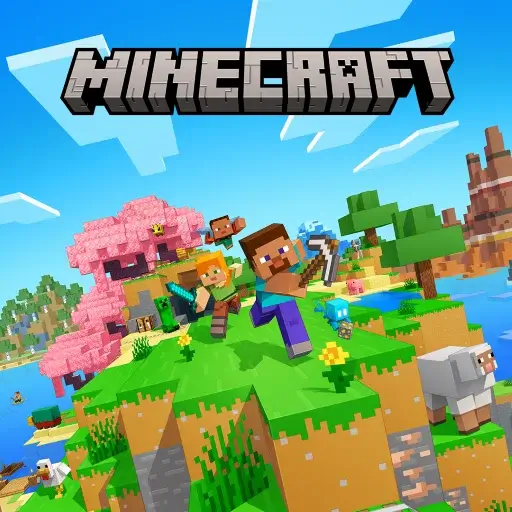
Minecraft is an infinite, procedurally generated voxel simulation. Behind the block-based visuals sit dynamic cellular automata for effects like water and fire, real-time light propagation, and physics calculations, all running across 16×16-block chunk columns loaded around the player.
The Fundamental Split: Java Edition vs. Bedrock Edition
Java Edition runs on an OpenJDK runtime across Windows, macOS, and Linux. It provides raw file-system access, unmonetized open-source modding frameworks such as Fabric, Forge, and NeoForge, and support for fully custom server software.
Bedrock Edition is compiled in native C++ for cross-platform execution across Windows, iOS, Android, and consoles. It uses multi-threaded rendering, native controller input mapping, and distributes content through the curated Microsoft Marketplace rather than open community mod repositories.
The rendering pipelines underneath these two editions differ at a fundamental level, not just a cosmetic one. Java Edition’s rendering traditionally runs through OpenGL on a largely single-threaded pipeline, which is part of why heavily modded Java profiles with dense render distances can become CPU-bound on a single core even when a system otherwise has idle processing headroom elsewhere.
Bedrock Edition, by contrast, was built around DirectX 12 on Windows and Metal on Apple platforms, both of which support genuine multi-threaded rendering. This lets Bedrock distribute rendering work across multiple CPU cores simultaneously, which is a meaningful part of why the same hardware can often sustain a higher, steadier frame rate on Bedrock than on an unmodified Java installation.
Server-side simulation follows its own fixed budget regardless of edition. Both Java and Bedrock servers target 20 simulation ticks per second, meaning the game world advances in discrete steps roughly every 50 milliseconds. When a server’s actual per-tick processing time exceeds that 50-millisecond budget — commonly from overloaded redstone contraptions, excessive entity counts, or an inefficient plugin — the server falls behind its own clock, and players experience this as rubber-banding, delayed block updates, or unresponsive mob behavior.
On PC specifically, both editions are sold together under a single unified entitlement — purchasing once grants access to both the Java and Bedrock clients through the same launcher.
How Deterministic Seeds and Chunk Architecture Function
Every Minecraft world generates from a pseudo-random 64-bit numerical seed. That seed feeds into terrain-generation algorithms that deterministically produce the same terrain geometry, structures, and biome layout every time it’s used, which is why sharing a seed reproduces an identical world for another player.
Chunks are loaded, ticked, and saved dynamically as the player moves through the world, rather than the entire world existing in memory at once. This is precisely why local drive storage and available RAM directly influence how far a player can render terrain and how stable the frame rate stays during exploration — more memory allows more chunks to remain actively loaded and simulated simultaneously.
How to Download Minecraft and Configure the Unified Launcher
Step 1: Purchasing and Account Entitlement Setup
Minecraft’s unified PC bundle can be purchased directly through Minecraft.net or the Microsoft Store. Both paths tie the purchase to a Microsoft account, which functions as the entitlement record for every edition and platform the account touches.
Enabling two-step verification on that Microsoft account immediately after purchase is worth prioritizing, since it’s the same account that governs online multiplayer access, Xbox privacy settings, and any Marketplace purchases made later.
Step 2: Deploying the Unified Launcher on PC, Mac, and Linux
Windows users install through either a .msi installer or the Microsoft Store app version. macOS users receive a universal .dmg package with native Apple Silicon execution, avoiding any translation-layer performance penalty on newer Mac hardware. Linux users can choose from .deb packages, the Arch AUR, or a Flatpak distribution depending on their distribution’s package manager.
Across all three, the initial installer functions as a compact desktop bootstrapper. It provisions the actual game assets and bundled OpenJDK runtime components dynamically after the base installer completes, rather than requiring one large upfront download.
Common first-run installation hurdles by platform:
- Microsoft Store error
0x803F8001— This typically indicates a licensing sync failure rather than a corrupted download. Signing out of the Microsoft Store app completely, restarting the machine, and signing back in before relaunching the install usually forces a fresh entitlement check that resolves it. - Missing OpenJDK runtime environment variables — On Windows and Linux systems where a separate, manually installed Java version conflicts with the bundled runtime, the launcher can fail to locate a valid JDK path. Pointing the launcher explicitly to its own bundled runtime directory in the installation profile settings, rather than relying on a system-wide
JAVA_HOMEvariable, avoids this conflict entirely. - Linux dependency library gaps — Some minimal Linux distributions lack
libsecret-1-0, a credential-storage library the launcher depends on to store login sessions securely. Installing it through the distribution’s package manager before the first launch prevents authentication prompts from silently failing. - Separate profile directories for mod loaders — Fabric and NeoForge profiles should never share an installation directory, since each loader modifies core game files differently. Creating a distinct named profile for each loader under Launcher > Installations > New Installation keeps mod conflicts from one loader from corrupting the other’s mod folder.
Step 3: JVM Memory Allocation and Installation Profiles
PC Java players can fine-tune performance through Launcher > Installations > Edit > More Options, which exposes direct JVM argument controls. The -Xmx argument sets the maximum memory ceiling — for example, changing -Xmx2G to -Xmx4G allows for a longer render distance or supports the additional overhead of a heavily modded profile.
Allocating more than roughly half of the system’s total physical RAM to this setting is counterproductive rather than helpful. It leaves too little memory for the operating system and other background processes, which paradoxically increases Java’s garbage-collection frequency and introduces periodic stutter instead of eliminating it.
Step 4: Mobile and Console Bedrock Deployment
On mobile, Bedrock Edition installs directly through the App Store on iOS or Google Play on Android, with no separate launcher step required. Console versions install the same way through each platform’s respective storefront.
Signing into the same Microsoft account across every device is the step that actually enables cross-play — it’s what synchronizes friend lists, world access, and any Marketplace purchases between a phone, a console, and a PC.
Key Features of the Minecraft Ecosystem
- Infinite Procedural World Generation — Unique terrain powered by mathematical seeds, producing distinct biomes, complex cave systems, aquifers, and separate dimensions including The Nether and The End.
- Comprehensive Dual-Game Modes — Unrestricted Creative Mode with instant block access and flight, alongside challenging Survival Mode featuring hunger mechanics, health regeneration, and hostile mob spawning.
- Turing-Complete Redstone Logic — Fully functional in-game electrical circuitry that enables automated resource farms, mechanical doors, working calculators, and genuine computational logic gates.
- Open-Source Modding Ecosystem (Java) — Community-driven extensibility through mod loaders like Fabric and Forge, performance-focused shaders such as Iris and Sodium, and total gameplay overhauls.
- Native Cross-Platform Multiplayer (Bedrock) — Frictionless cross-play bridging Windows PC, smartphones, tablets, and consoles on shared worlds and official Featured Servers.
- Private Persistent World Hosting (Realms) — Mojang-managed cloud server infrastructure for safe, always-online cooperative worlds with automated cloud backups.
TIP — MANUAL WORLD BACKUPS AND JVM OPTIMIZATION
Back up the .minecraft/saves directory before installing mods or applying a major game update, since a failed mod load or corrupted update can otherwise put an entire world at risk.
Performance mods such as Sodium and Lithium can dramatically improve frame rendering and reduce tick overhead on modest systems without altering vanilla gameplay mechanics.
WARNING — UNOFFICIAL LAUNCHERS AND CREDENTIAL THEFT
Avoid third-party “cracked” or free launcher distributions, including unlicensed APKs and unofficial launcher clones promising free access to the game.
Malicious forks of this kind frequently intercept Microsoft OAuth access tokens, harvest system data, or inject backdoor cryptocurrency miners disguised as a legitimate installer.